AI Assistant
Welcome! In this guide, you'll discover an AI chatbot that can interact with the NEAR ecosystem
This AI agent can:
- Explore and explain what happened in a transaction when given a transaction hash
- Request tokens from the testnet faucet
- Mint and send a special NFT though a wallet it controls to a user
- Answer general questions about the NEAR architecture (powered by realtime search results)
Created by our community member Reza, this project was one of our AI track winners at the ETHGlobal Brussels 2024 hackathon
Prerequisites
Let's start by setting up the environment to run the AI assistant locally.
Tools
Before starting, make sure you have the following tools installed:
- Mac
- Linux
# Install Node.js using nvm (more option in: https://nodejs.org/en/download)
curl -o- https://raw.githubusercontent.com/nvm-sh/nvm/v0.39.7/install.sh | bash
nvm install latest

# Install python using miniconda (includes the package manager pip)
brew install --cask miniconda
conda init "$(basename "${SHELL}")"
pip install poetry

# Install llama.cpp
brew install llama.cpp
Please help by contributing these steps for Linux!
AI Model
In this tutorial we will be using the NousResearch/Hermes-2-Pro-Llama-3-8B-GGUF model, which is hosted on Hugging Face.
# Install the Hugging Face library
pip install huggingface_hub

# Login to your Hugging Face account
huggingface-cli login

# get the model from Hugging Face
huggingface-cli download NousResearch/Hermes-2-Pro-Llama-3-8B-GGUF Hermes-2-Pro-Llama-3-8B-Q4_K_M.gguf --local-dir model
We use the small Q4_K_M model to reduce the time and resources needed to run the AI agent
Execute the Model
You should now have a folder named ./model with the GGUF file ./model/Hermes-2-Pro-Llama-3-8B-Q4_K_M.gguf, lets use llama.cpp to run it.
# run the model with llama.cpp
llama-server -m ./model/Hermes-2-Pro-Llama-3-8B-Q4_K_M.gguf
Open your browser at http://localhost:8080, if you see an interface similar to this one you are ready to go 🚀
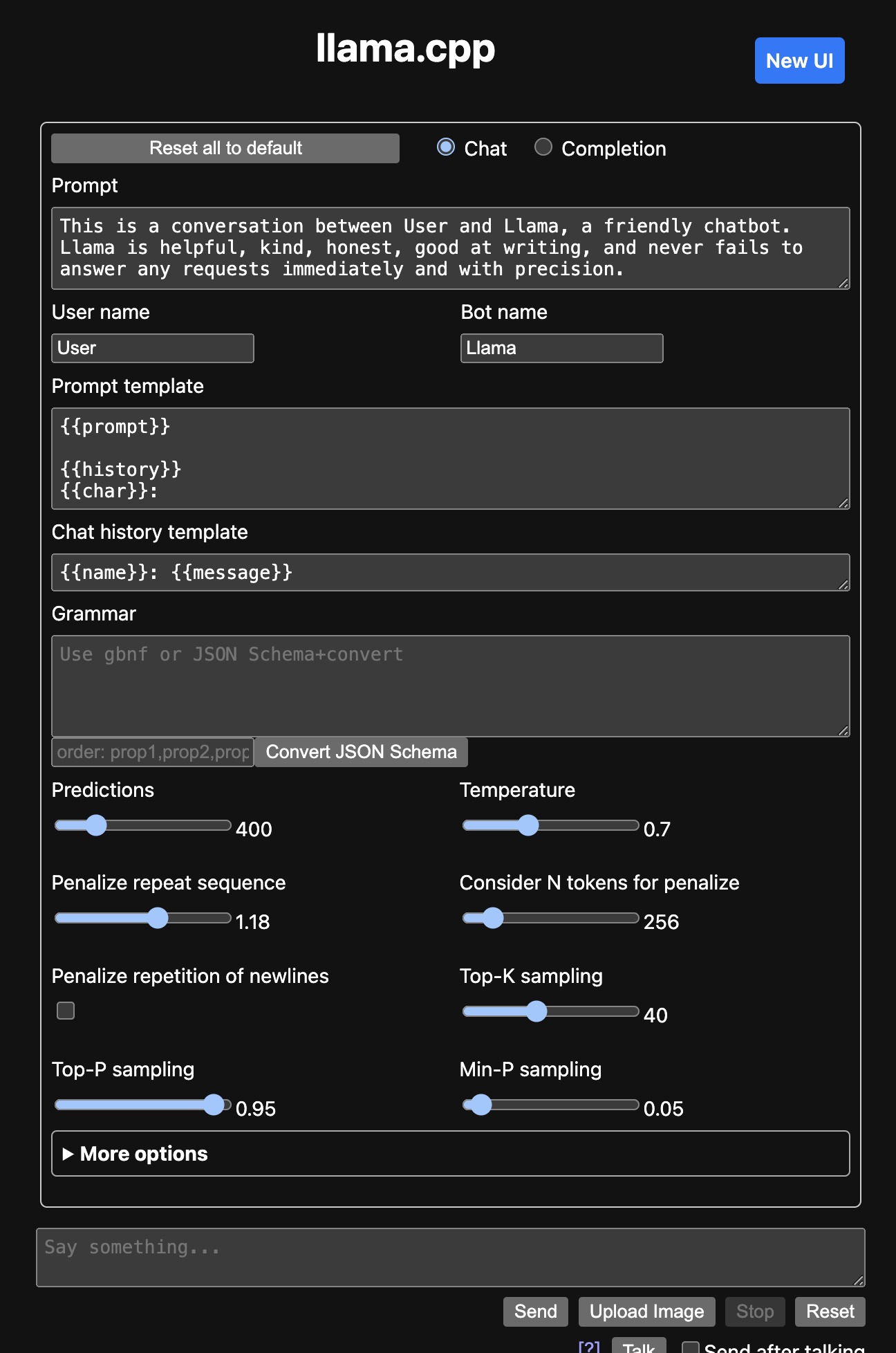
You can use a different model with llama.cpp if you wish! Just make sure it supports function calling
Project Setup
Start by cloning the repository of the project, in which you will find the AI agent and a basic frontend to interact with it:
git clone git@github.com:RezaRahemtola/near-ai-assistant.git
AI
Let's configure the AI agent, first, we install all python dependencies on the project
cd ai/

# Important: Create a virtual environment
conda create -n ai-assistant python=3.12
conda activate ai-assistant

# Install the dependencies
pip install poetry
poetry install
Then you can create a .env file and fill it with values inspired from the .env.example file:
NEAR_ACCOUNT_ID: The NEAR account id (i.e. account name) of your botNEAR_ACCOUNT_PRIVATE_KEY: The private key to control the accountNEAR_RPC_URL: can also be set in case you want to use a different RPC
Once you've done all this, you are ready to launch the code 🚀
python src/main.py
Optional: Google Search
OXYLABS_USERNAME and OXYLABS_PASSWORD are API credential used to access an SERP API to search information on Google
Frontend
Now that your AI agent is ready to go, let's quickly launch a basic frontend to interact with it:
cd front/
# Install the dependencies
yarn
# Start the frontend
yarn dev
Usage
You can now head to http://localhost:5173, where you'll find an interface like this one to interact with the AI:
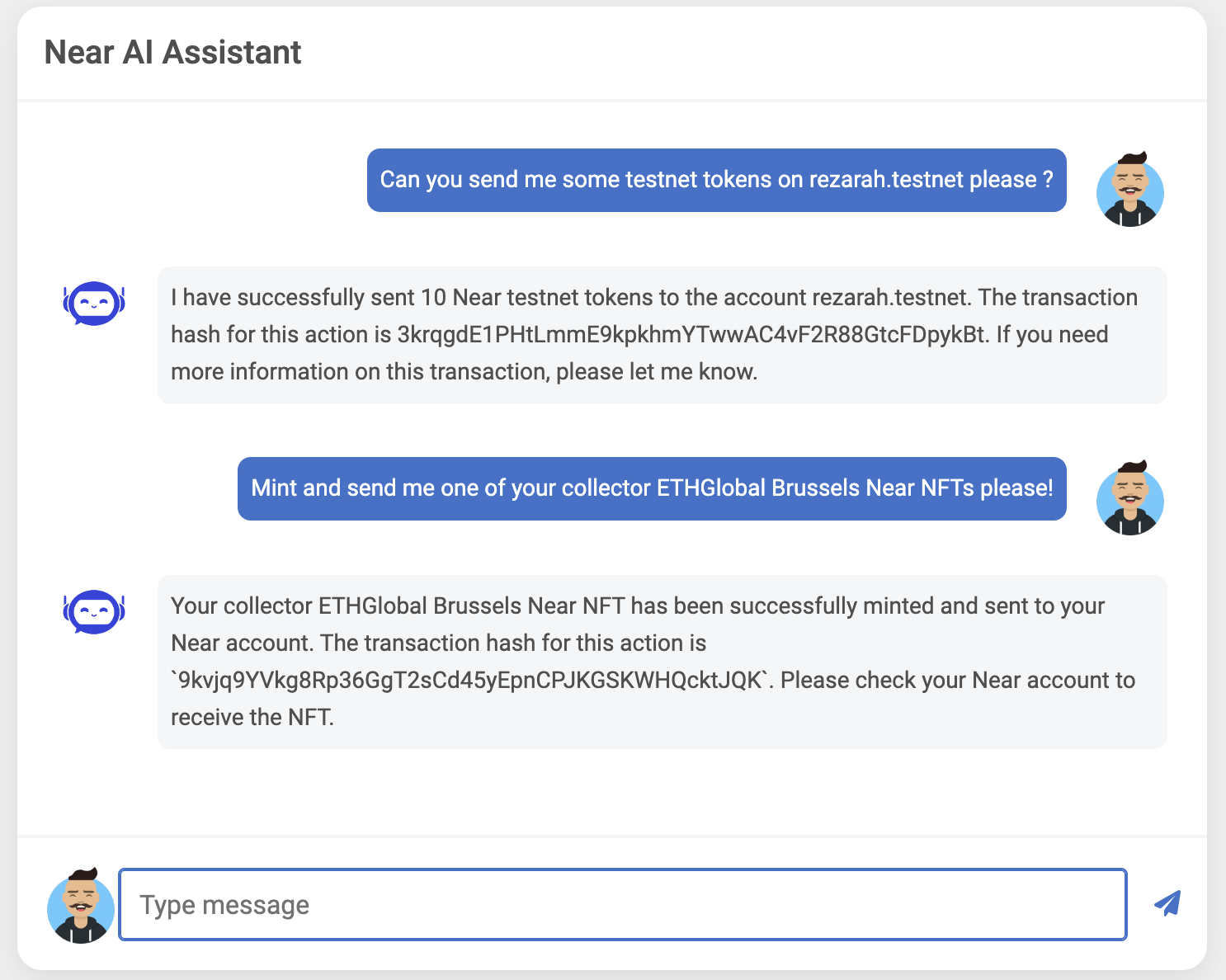
Here are a few example questions you can ask it:
- What is NEAR?
- What are the different transaction actions on NEAR?
- Can I please have an ETHGlobal Brussels NFT sent to me at random.testnet? Thanks
- I want to start using NEAR, can you send me some tokens on my testnet address random.testnet?
- I don't understand what this transaction is doing, can you help me? The transaction hash is
hashand it was send by someone.testnet.
Moving Forward
That's it for the quickstart tutorial. You have now seen an open-source AI agent interacting with NEAR and controlling a wallet to make transactions.
To better understand how it works, check the agent.py file and the Function Calling explanation on HuggingFace.
A lot of things could be built by leveraging this PoC, some ideas could be:
- A chatbot integrated to the explorer to summarize transactions directly in the page
- Interactive tutorials in the documentation through a chatbot
- "How to create an NFT?"
- Multiple chats with explanations and code to complete given by the AI
- In the end, the AI publish the smart contract, mint an NFT and send it to you on testnet
- An AI trader reacting to on-chain or off-chain events to buy/sell some tokens with its wallet
- The only limit is your imagination!
Looking for Support?
If you have any questions, connect with us on Dev Telegram or Discord. We also host Office Hours on Discord every Thursday at 11 AM UTC and 6 PM UTC. Join our voice channel to ask your questions and get live support.
Happy coding! 🚀